Wireshark抓https数据包
Wireshark抓https数据包
使用wireshark抓https数据包大概有两种方式。
- 设置SSLKEYLOGFILE环境变量,记录SSL密钥信息,利用密钥进行解密
- 使用SSL私钥解密
本文主要记录第二中方式。这种方式需要有证书的私钥,即nginx配置中的ssl_certificate_key。
还需要修改nginx配置文件,指定加密方式。
示例:
1 | |
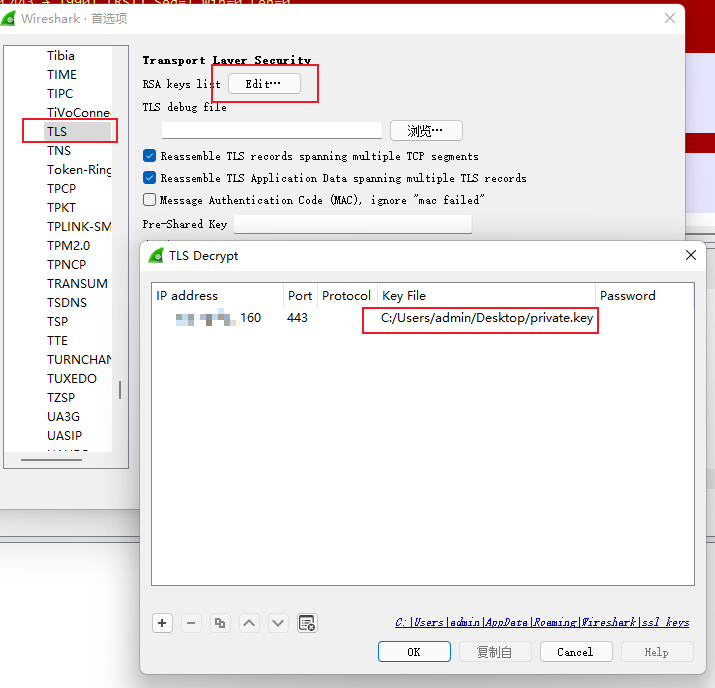
Wireshark配置:
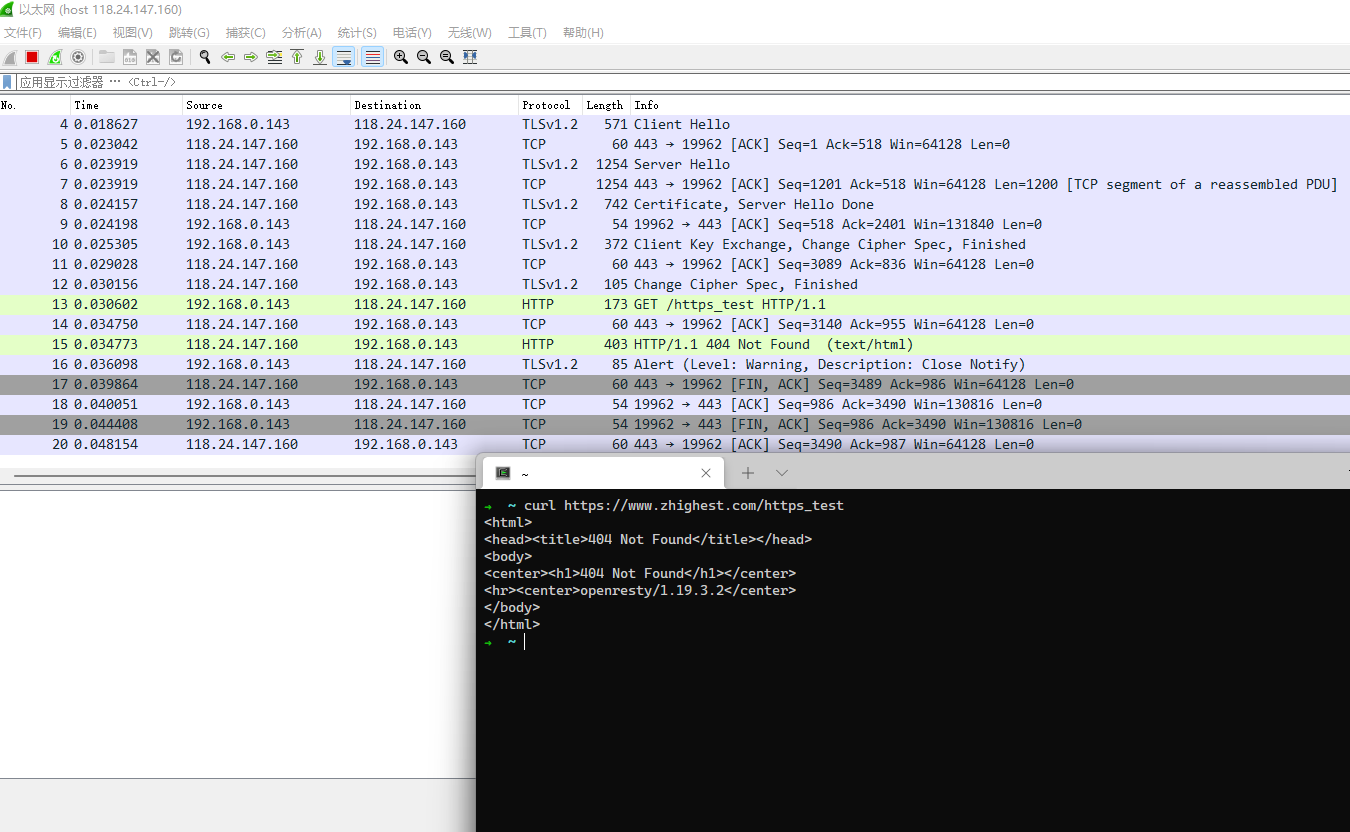
抓包截图:
使用wireshark抓https数据包大概有两种方式。
本文主要记录第二中方式。这种方式需要有证书的私钥,即nginx配置中的ssl_certificate_key。
还需要修改nginx配置文件,指定加密方式。
示例:
1 | |
Wireshark配置:
抓包截图:
目录