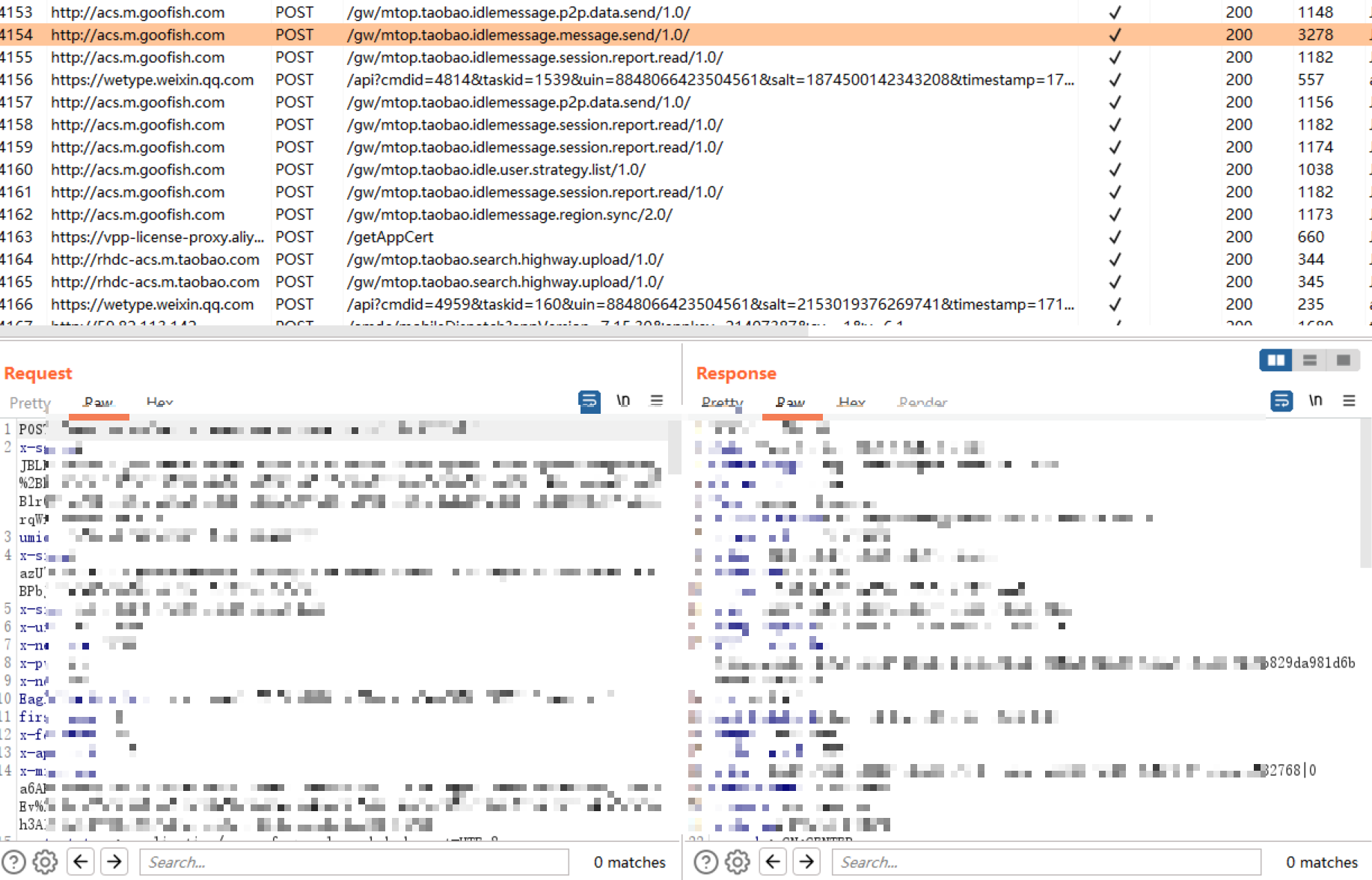
闲鱼自动发货机器人 使用以下代码Hook后,可以抓HTTP请求。
1
2
3
4
5
6
7
8
9
10
11
12
13
14
15
16
17
18
19
20
21
try {"mtopsdk.mtop.global.SwitchConfig" , classLoader, "isGlobalSpdySwitchOpen" , new XC_MethodReplacement() {@Override protected Object replaceHookedMethod (MethodHookParam methodHookParam) throws Throwable return false ;catch (Exception e){try {"mtopsdk.mtop.global.SwitchConfig" , classLoader, "isGlobalSpdySslSwitchOpen" , new XC_MethodReplacement() {@Override protected Object replaceHookedMethod (MethodHookParam methodHookParam) throws Throwable return false ;catch (Exception e){
其中mtop.taobao.idlemessage.message.send/1.0/可以发送消息,mtop.taobao.idlemessage.region.sync/2.0/可以接收消息。使用这两个AP就可以实现消息的接收与回复。
但需要对请求签名,使用Xposed编写模块提供HTTP服务,调用App中的签名函数。
1
2
3
4
5
6
7
8
9
10
11
12
13
14
15
16
17
18
19
20
21
22
23
24
25
26
27
28
29
30
31
32
33
34
35
36
37
38
39
40
41
42
43
44
45
46
47
48
49
50
51
52
public final HashMap getUnifiedSign (HashMap params, HashMap extendParas, String appKey, String authCode, boolean useWua, String requestId) if (appKey == null ) {"SG_ERROR_CODE" , "AppKey is null" );"mtopsdk.InnerSignImpl" , " [getUnifiedSign] AppKey is null." );return null ;if (params == null ) {"mtopsdk.InnerSignImpl" , " [getUnifiedSign] params is null.appKey=" + appKey);return null ;if (this .mUnifiedSign == null ) {"SG_ERROR_CODE" , "unified is null" );"mtopsdk.InnerSignImpl" , " [getUnifiedSign]sg unified sign is null, please call ISign init()" );return null ;try {new HashMap();true ).get("INPUT" );boolean z1 = StringUtils.isBlank(s3);if (z1) {"mtopsdk.InnerSignImpl" , " [getUnifiedSign]get sign failed with sign data empty " , "appKeyIndex=" + this .mtopConfig.appKeyIndex + ",authCode=" + this .mtopConfig.authCode);return null ;"appkey" , appKey);"data" , s3);"useWua" , Boolean.valueOf(((boolean )(((int )useWua)))));"env" , Integer.valueOf(this .getMiddleTierEnv()));"authCode" , authCode);"extendParas" , extendParas);"requestId" , requestId);"api" , params.get("api" ));"mtopBusiness" , params.get("mtopBusiness" ));this .mUnifiedSign.getSecurityFactors(hashMap2);if (hashMap3 != null && !hashMap3.isEmpty()) {return hashMap3;"mtopsdk.InnerSignImpl" , " [getUnifiedSign]get sign failed with no output " , "appKeyIndex=" + this .mtopConfig.appKeyIndex + ",authCode=" + this .mtopConfig.authCode);catch (SecException secException0) {"mtopsdk.InnerSignImpl" , " [getUnifiedSign]get sign failed and SecException errorCode " + secException0.getErrorCode() + ",appKeyIndex=" + this .mtopConfig.appKeyIndex + ",authCode=" + this .mtopConfig.authCode, secException0);catch (Throwable throwable0) {"mtopsdk.InnerSignImpl" , " [getUnifiedSign]get sign failed exception ,appKeyIndex=" + this .mtopConfig.appKeyIndex + ",authCode=" + this .mtopConfig.authCode, throwable0);return null ;
至此机器人也算可以使用了。但收消息依赖轮询,即不停的访问读取消息的接口。若请求较慢,消息的延迟会比较高,若请求太快,可能对闲鱼服务器造成压力,甚至可能被封号。
于是尝试寻找App中接收消息的位置,以实现被动接收消息的目的。
闲鱼的IM核心都是flutter写的,代码都在libapp.so中,即使使用了blutter ,也难以逆向。
我尝试hook java.lang.String.toString(),匹配我发送的内容,并打印堆栈,发现了flutter层调用数据库读写函数。
java.lang.Exception
1 2 3 4 5 6 7 8 9 10 11 12 13 14 15 16 17 18 19 20 21 22 23 24 25 26 27 28 private void onInsertCall (MethodCall methodCall0, Result methodChannel$Result0, boolean z) if (database0 == null ) {return ;new BgResult(methodChannel$Result0);if (z) {.3 sqflitePlugin$30 = new Runnable() {@Override public final void run () new MethodCallOperation(this .val$call, this );300 (methodCall0, sqflitePlugin$BgResult0, methodCallOperation0);this .mExecutors.execute(sqflitePlugin$30 );return ;new Runnable() {@Override public final void run () new MethodCallOperation(this .val$call, this );300 (methodCall0, sqflitePlugin$BgResult0, methodCallOperation0);
1 2 3 4 5 6 7 8 9 10 11 12 13 14 15 16 17 18 19 20 21 22 23 24 25 26 27 28 29 30 31 32 33 34 35 36 37 38 39 40 41 42 43 44 45 46 47 48 49 50 51 52 53 54 55 56 57 package io.flutter.plugin.common;import androidx.annotation.NonNull;import androidx.annotation.Nullable;import java.util.Map;import org.json.JSONObject;public final class MethodCall public final Object arguments;public final String method;public MethodCall (@NonNull String s, @Nullable Object object0) this .method = s;this .arguments = object0;@Nullable public Object argument (@NonNull String s) this .arguments;if (object0 == null ) {return null ;if ((object0 instanceof Map)) {return ((Map)object0).get(s);if ((object0 instanceof JSONObject)) {return ((JSONObject)object0).opt(s);throw new ClassCastException();@Nullable public Object arguments () return this .arguments;public boolean hasArgument (@NonNull String s) this .arguments;if (object0 == null ) {return false ;if ((object0 instanceof Map)) {return ((Map)object0).containsKey(s);if ((object0 instanceof JSONObject)) {return ((JSONObject)object0).has(s);throw new ClassCastException();
最后Hook数据库写入函数,并转发消息到http服务的代码:
1 2 3 4 5 6 7 8 9 10 11 12 13 14 15 16 17 18 19 20 21 22 23 24 25 26 XposedHelpers.findAndHookMethod("com.tekartik.sqflite.SqflitePlugin" , classLoader, "onInsertCall" , "io.flutter.plugin.common.MethodCall" ,"io.flutter.plugin.common.MethodChannel$Result" ,boolean .class, new XC_MethodHook() {@Override protected void beforeHookedMethod (MethodHookParam param) throws Throwable super .beforeHookedMethod(param);0 ];"argument" , "sql" );if (is_open && url!=null && url.contains("http" ) && sql.contains("INSERT OR REPLACE INTO SessionInfo" )){"arguments" );"toJSONString" , arguments);"sid=\\d+&messageId=(\\w+)&" ;if (matcher.find()){1 );if (cache.get(messageId) == null ){ 1 );