Sandboxie多开微信
使用RevokeMsgPatcherPatch微信exe文件后可以多开,但无法使用自动登录,每次都需要用手机扫码、确认登录。
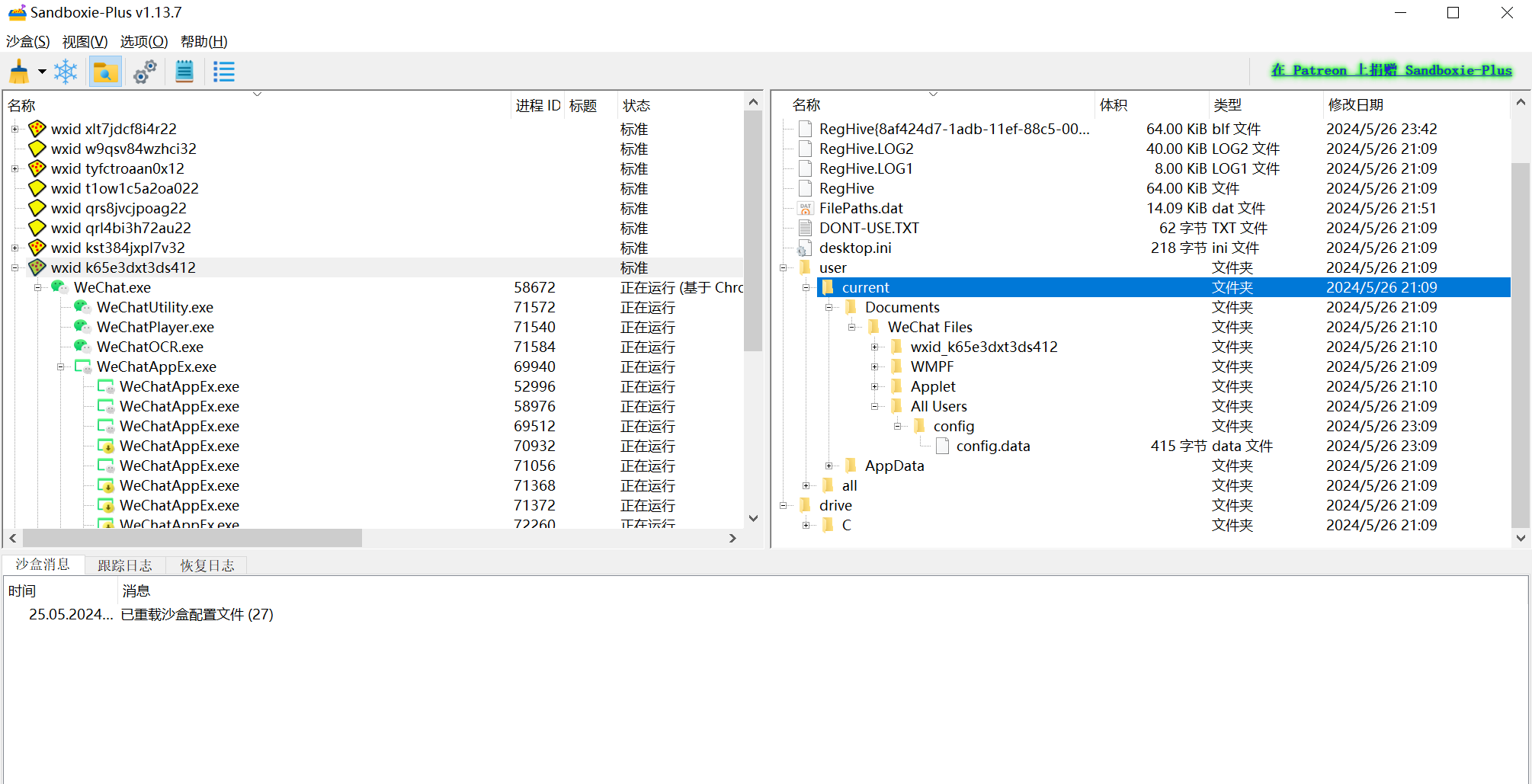
使用Sandboxie可以为每个微信号创建一个沙盒,将每个微信对应的文件保存在对应的沙盒中。
沙盒配置:
1
2
3
4
5
6
7
8
9
10
11
12
13
14
15
16
17
18
19
20
| Enabled=y
BlockNetworkFiles=y
RecoverFolder=%Desktop%
RecoverFolder=%Personal%
RecoverFolder=%{374DE290-123F-4565-9164-39C4925E467B}%
BorderColor=#02f6f6,off,6
Template=AutoRecoverIgnore
Template=LingerPrograms
Template=BlockPorts
Template=qWave
Template=FileCopy
Template=SkipHook
Template=OpenBluetooth
ConfigLevel=10
UseFileDeleteV2=y
UseRegDeleteV2=y
WriteFilePath=WeChat.exe,
AutoRecover=n
BoxNameTitle=-
DllSkipHook=ws2_32.dll
|
启动脚本:
| Set ws = CreateObject("WScript.Shell")
programPath = """C:\Program Files\Sandboxie-Plus\Start.exe"""
param1 = "/box:wxid_kst384jxpl7v32"
param2 = """C:\Program Files\Tencent\WeChat\WeChat.exe"""
command = programPath & " " & param1 & " " & param2
ws.Run command, 0
|
运行截图
目前发现最大的问题就是沙盒中的微信无法使用快捷键。
参考网上相似的情况,添加配置OpenWinClass=*后,快捷键可以使用了,但托盘图标无法正常显示。
最后还是舍弃了快捷键,因为我对微信进行了hook,修改了托盘图标,不用太依赖快捷键区分不同账号。
https://github.com/sandboxie-plus/Sandboxie/issues/192