云闪付虚拟定位
FakeLocation强制更新后非常不稳定,之前可以稳定的修改云闪付定位,现在却很难成功,云闪付App一直提示定位失败。
反编译云闪付apk后发现定位使用了高德地图的SDK。
通过以下代码可以定位到云闪付获取位置的Listener.
| XposedHelpers.findAndHookMethod("com.amap.api.location.AMapLocationClient", classLoader, "setLocationListener", "com.amap.api.location.AMapLocationListener", new XC_MethodHook() {
@Override
protected void afterHookedMethod(MethodHookParam param) throws Throwable {
super.afterHookedMethod(param);
log("setLocationListener: " + param.args[0].getClass().getName());
}
});
|
得到类: com.unionpay.location.UPLocationService$1。
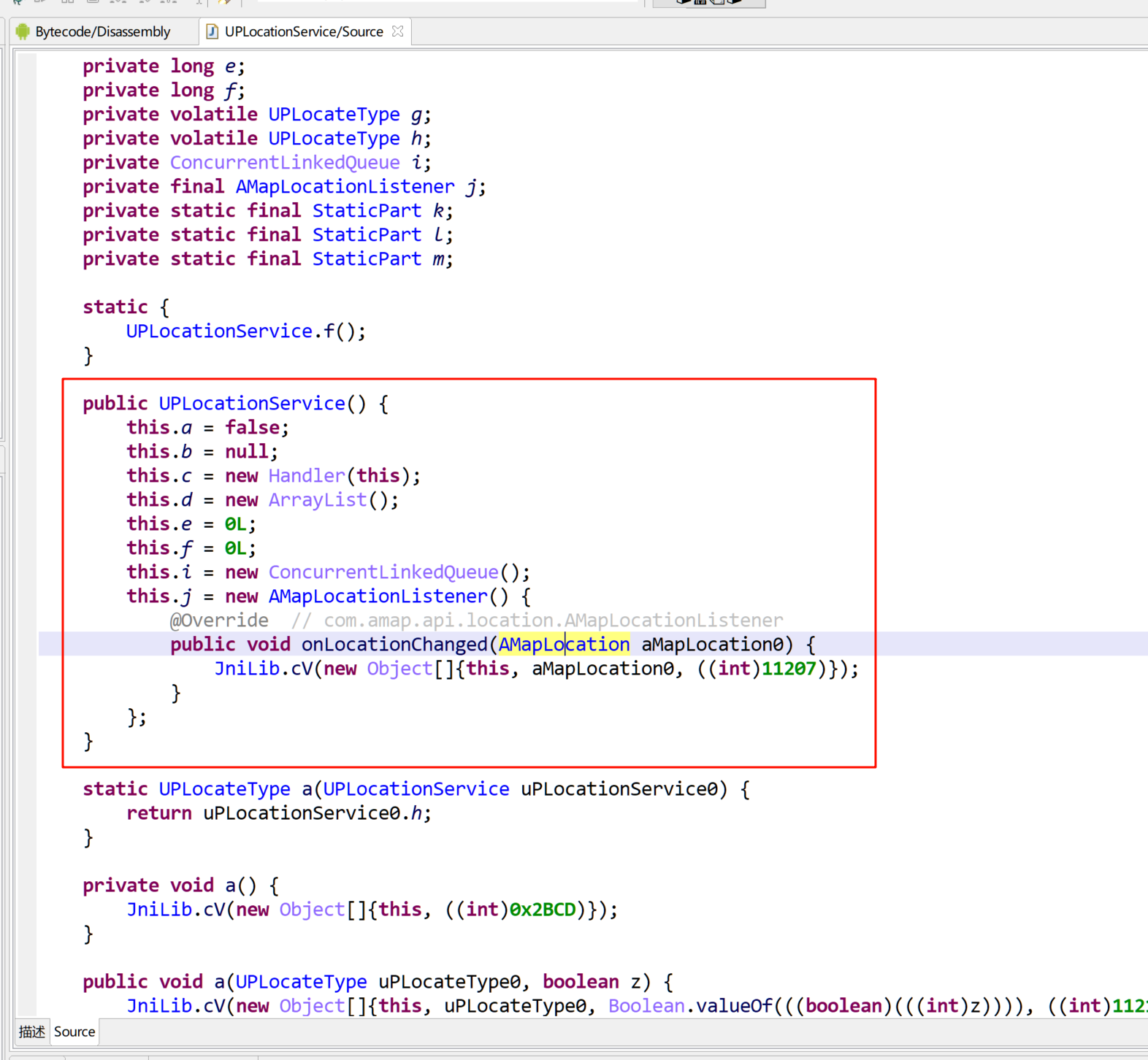
Hook onLocationChanged方法可以获取、修改定位信息。
直接修改Latitude、Longitude没效果,com.amap.api.location.AMapLocation中还有其他字段,比如city, citycode等。
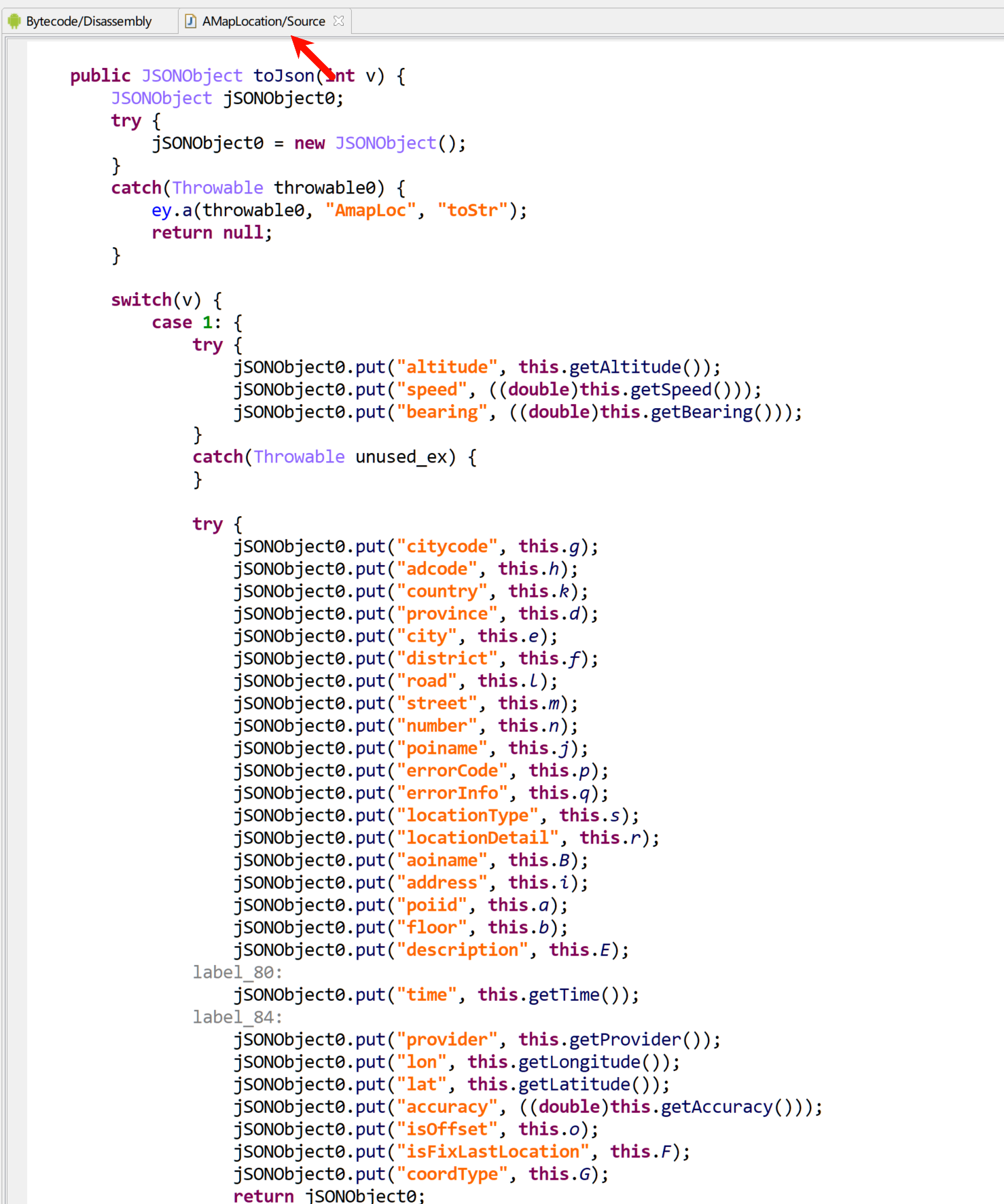
Hook修改位置的代码:
1
2
3
4
5
6
7
8
9
10
11
12
13
14
15
16
17
18
19
20
21
22
| UPLocationService.onLocationChanged.overload('com.amap.api.location.AMapLocation').implementation = function(location) {
console.log('onLocationChanged...')
var new_location = AMapLocation.$new('gps')
new_location.setProvince('四川省')
new_location.setCity('眉山市')
new_location.setDistrict('东坡区')
new_location.setCityCode('1833')
new_location.setAdCode('511402')
new_location.setLatitude(30.03853503732984)
new_location.setLongitude(103.83604046447006)
new_location.setCountry('中国')
new_location.setSpeed(1.2)
new_location.setAltitude(199.06)
new_location.setCoordType('GCJ02')
new_location.setTime(new Date().getTime())
console.log("New location created: " + new_location.toJson(1).toString());
return this.onLocationChanged(new_location);
};
|
Xposed:
| XposedHelpers.findAndHookMethod("com.unionpay.location.UPLocationService$1", classLoader, "onLocationChanged", "com.amap.api.location.AMapLocation", new XC_MethodHook() {
@Override
protected void beforeHookedMethod(MethodHookParam param) throws Throwable {
super.beforeHookedMethod(param);
String s = "AwAAAGcAcABzAAAAdRhne...";
byte[] decodedBytes = Base64.decode(s, Base64.NO_WRAP);
Parcel parcelFromBase64 = Parcel.obtain();
parcelFromBase64.unmarshall(decodedBytes, 0, decodedBytes.length);
parcelFromBase64.setDataPosition(0);
Parcelable.Creator creator = (Parcelable.Creator) XposedHelpers.getStaticObjectField(XposedHelpers.findClass("com.amap.api.location.AMapLocation", classLoader), "CREATOR");
Object newLocation = creator.createFromParcel(parcelFromBase64);
param.args[0] = newLocation;
parcelFromBase64.recycle();
}
});
|
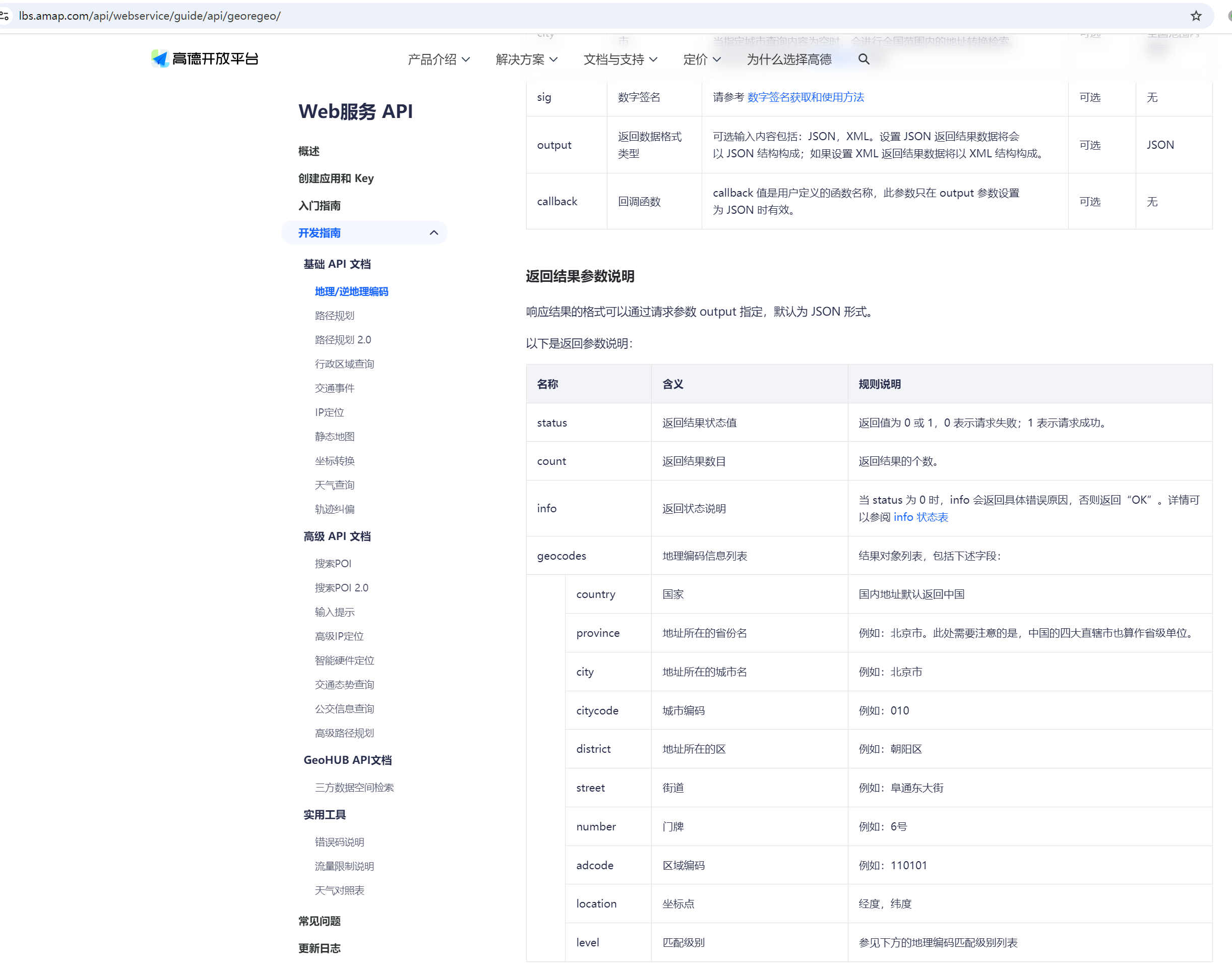
如何获取位置信息?坐标、城市代码等。
高德地图有开放API。 https://lbs.amap.com/api/webservice/guide/api/georegeo/
1
2
3
4
5
6
7
8
9
10
11
12
13
14
15
16
17
18
19
20
21
22
23
24
25
26
27
28
29
30
31
| import requests
import json
from urllib.parse import quote
keyword = '德阳市罗江区'
url = 'https://restapi.amap.com/v3/geocode/geo?address={}&output=JSON&key=f1c92eab8dd71541d466b185c3642cd6'.format(quote(keyword))
http = requests.get(url)
d = http.json()
addr = d.get('geocodes', [])[0]
print(addr)
province = addr.get('province')
citycode = addr.get('citycode')
city = addr.get('city')
district = addr.get('district')
adcode = addr.get('adcode')
location = addr.get('location')
latitude = float(location.split(',')[1])
longitude = float(location.split(',')[0])
code = f'''
new_location.setProvince('{province}')
new_location.setCity('{city}')
new_location.setDistrict('{district}')
new_location.setCityCode('{citycode}')
new_location.setAdCode('{adcode}')
new_location.setLatitude({latitude})
new_location.setLongitude({longitude})
'''
print(code)
|
| // 经度 longitude
// 纬度 latitude
// 经度 103.832000,纬度 30.042301
|